| Outlook Express |
|
STEP 9:
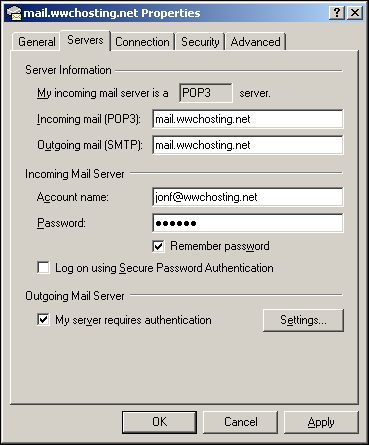
In the "Properties" dialog for your new email account, click the "Servers" tab on the top of the page.
Here you will see all the setting you just entered for your mail account.
On the bottom of this page, click the checkbox that says, "My server requires authentication" then click the "Settings..." button beside it.


|
|
|

