| Outlook Express |
STEP 5:
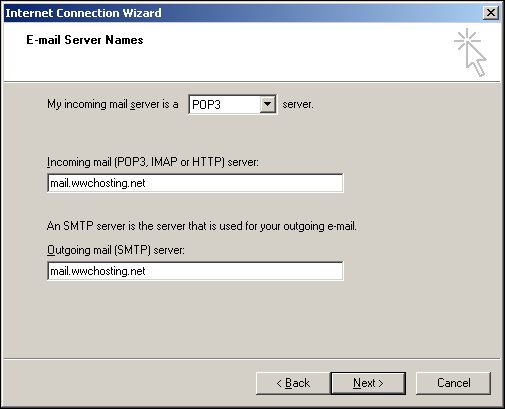
On the next page of the "Internet Connection Wizard" you will be asked for your mail server information.
Make sure your incoming mail server type is set to "POP3".
For the incoming and outgoing mail server fields enter, "mail.wwchosting.net" then click the "Next" button on the bottom of the page.


|
|
|

