| Outlook |
STEP 6:
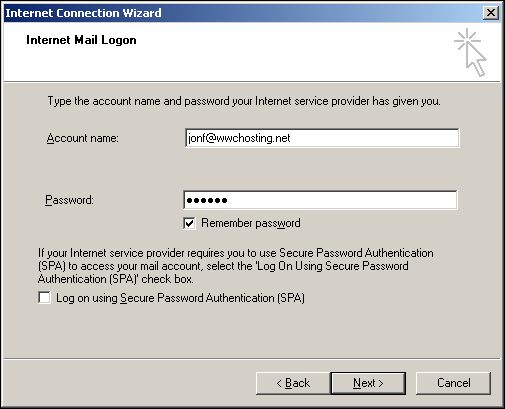
On the next page of the "Internet Connection Wizard" you will be asked for your email login information.
In the "Account name" field enter the email address that was set up for you by World Wide Communications.
In the "Password" field, enter the password you requested for your email account. If you don't want to enter your password each time you connect to the server then click the checkbox labeled, "Remember password".
Click the "Next" button to continue with your email setup.


|
|
|

